
Skip to content
  • Free forever
  • Private by design
  • Works offline

Your money. Your phone.

Private, offline budgeting with accurate, real-time balances—free forever. Optional add-ons only if you want more.

Balances screen showing multiple wallets

How mPiggy works

See in 60 seconds what managing your finances with mPiggy can look like.

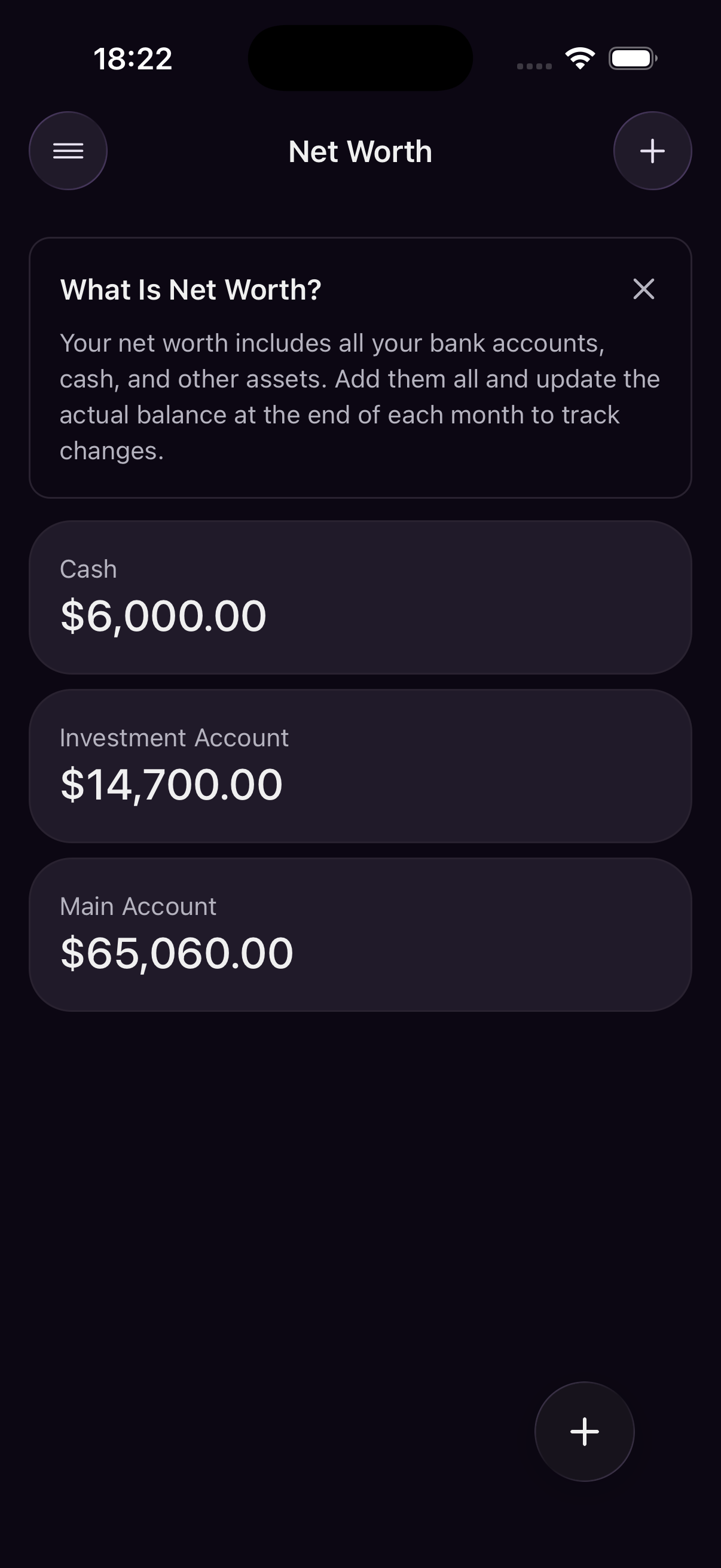
See everything you own

Group cash, bank accounts, and savings into wallets with their own currencies.

Each wallet keeps an accounting-correct balance derived from your transactions—not a guessed number. Switch a display currency to understand your total picture, with historical exchange rates when you operate across borders.

  • Multiple wallets, each with its own base currency
  • Display-currency totals with historical exchange rates
  • Balances built from every transaction—always in sync

Log spending with confidence

Every expense and income is explicit, categorized, and traceable.

Add transactions manually in seconds, split them across categories, and keep a clear audit trail. The list stays fast and readable so you always know what changed your balance and when.

  • Income, expenses, and transfers in one timeline
  • Categories and splits for accurate reporting
  • Search and filters that stay fast as history grows

Put subscriptions on autopilot

Schedule bills, income, and subscriptions once; let the app remember the rest.

Recurring templates create upcoming transactions on a cadence you define. Fewer surprises at month-end, less mental load tracking the same Spotify or rent payment every month.

  • Weekly, monthly, or custom schedules
  • Preview upcoming entries before they post
  • Less manual work for rent, bills, and subscriptions

Track what you owe

Loans, credit cards, and other liabilities alongside your assets.

Record balances, interest, and payment schedules in one place. See how debt fits your full financial picture so payoff plans and net worth stay honest—not guessed.

  • Loans, credit cards, and other liabilities in one place
  • Balances, interest, and payment schedules tracked together
  • See debt next to assets for an honest net-worth view

Budget with intention

Assign money to categories and watch how much room you have left.

Set monthly limits per category—similar to envelope budgeting—and see progress at a glance. Leftover budget rolls forward in spirit: you decide how strictly to reset each month while staying aware of what is already spoken for.

  • Monthly limits per category—envelope style
  • Progress bars show what is left to spend
  • Stay aware of what is already spoken for each month

Plan for what matters

Create savings goals and track deposits over time.

Whether it is an emergency fund, vacation, or a big purchase, goals turn abstract plans into visible progress. Link deposits to transactions so your targets stay tied to real money movements.

  • Named targets with amounts and optional deadlines
  • Deposits linked to real transactions
  • Progress you can see at a glance

Understand your patterns

Charts and summaries show where money comes from and where it goes.

Filter by period, category, or wallet to spot trends early. Statistics help you answer practical questions—Am I spending more on food? Is income stable?—without exporting spreadsheets.

  • Spending and income charts by week, month, or year
  • Break down by category, wallet, or period
  • Answer practical questions without exporting spreadsheets

Find cheaper alternatives

Compare prices before you commit to a purchase.

Enter what you want to buy and discover lower-priced options. Pair results with work-time and reality-check prompts so you spend with context—not on autopilot.

  • Search for lower prices before you commit
  • Work-time cost shows what a purchase really costs you
  • Reality-check prompts before you tap buy

Pause before you buy

Wishlist items help you think twice about non-essential purchases.

Save things you want, compare them to your budget and goals, and decide with context—not impulse. It is mindful spending built into the workflow, not a lecture.

  • Save items you are considering—not impulse buys
  • Compare against your budget and savings goals
  • Decline, postpone, or buy when it truly fits

Scan receipts with AI

Add-on

Turn receipt photos into transactions with less manual typing.

Snap a photo and let AI extract totals, dates, merchants, and line items. Review, edit, and save as expenses—an optional add-on when you want speed without sacrificing control.

  • Snap a photo—amount, date, and merchant filled in
  • Line items extracted for detailed expense records
  • Review and edit before saving—you stay in control

Import from your bank

Coming soon

Automatic transaction sync when Bank Connect launches.

Connect accounts securely so balances and purchases flow in without manual entry. Bank Connect will be an optional add-on—the full budgeting app stays free without it.

  • Secure connection to supported financial institutions
  • Automatic imports instead of manual CSV uploads
  • Optional add-on—the free app works fully without it

Your data never leaves your phone

Your finances stay on your phone—not on our servers. mPiggy is built for people who want full control without accounts, tracking, or cloud sync.

Privacy Policy →

  • No analytics or usage tracking. We don't collect behavioral data or sell insights about how you use the app.

  • All data stays on your device. Your transactions, balances, and budgets are never uploaded to our servers.

  • Works fully offline for everyday budgeting. No internet connection required to track spending and manage your money.

  • No registration or account required. Open the app and start tracking—your data belongs to you from day one.

Everything you need to manage money—free

Track, budget, and plan in one private, offline app—no subscription.

Multi-Wallet

Track balances across bank accounts, cash, and savings in one unified view.

Multi-Currency

Accurate currency conversion with historical exchange rates for precise accounting.

Offline-First

Your data stays local, always under your control. No cloud sync required.

Recurring Transactions

Automatically track subscriptions, bills, and regular income with scheduled transactions.

Accounting-Correct

Balances are calculated from your transactions, so the numbers are always right.

Mindful Spending

A wishlist and price checks help you pause before non-essential buys.

Why people choose mPiggy

Real reasons people switched to private, offline budgeting.

  • I travel a lot, so I finally have an app that doesn't mess up currency conversions. The numbers actually add up.

    M
    Maya
  • I keep separate wallets for cash, my card, and savings. Nice to see everything in one place without it feeling cluttered.

    T
    Tom
  • No account, no cloud — I log expenses on my phone and that's it. Exactly what I wanted.

    A
    Anna
  • Recurring bills took five minutes to set up. I notice subscriptions now before they surprise me.

    C
    Chris
  • I'm picky about balances matching my bank. This one does, even when I switch between EUR and PLN.

    E
    Elena
  • My budget lives on my phone, not on someone's server. Small thing, but it matters to me.

    J
    James
  • I can pick a display currency and still track accounts in their own currencies. Makes sense at a glance.

    S
    Sophie
  • Every expense has a clear category and date. I don't wonder where a number came from anymore.

    M
    Marco
  • It feels boring in a good way — no weird rounding, no magic totals. Just what I entered.

    N
    Nina
  • Recurring rent and salary show up on their own each month. Less typing, fewer missed bills.

    D
    David
  • I tried apps that wanted my bank login. This one lets me stay offline if I want.

    L
    Laura
  • Multi-currency was always a headache. The historical rates actually helped when I backfilled old trips.

    K
    Kate

Frequently asked questions

Quick answers about privacy, offline use, and how mPiggy works.

Is my financial data private?

Absolutely. mPiggy is designed with privacy as a core principle. All your data is stored locally on your device. We don't sync to the cloud, and your financial information never leaves your device unless you explicitly export it.

Does it work offline?

Yes! mPiggy is built with an offline-first approach. You can track expenses, view balances, and manage your finances completely offline. The app only connects to the internet to fetch exchange rates for currency conversion.

How many currencies are supported?

mPiggy supports all major world currencies with historical exchange rates. You can track balances in multiple currencies simultaneously, and the app automatically converts between them using accurate, date-specific exchange rates.

Can I track multiple accounts?

Yes! You can create multiple wallets to track different accounts, cash, savings, or any other financial assets. Each wallet can have its own base currency, and you can view all your balances in a unified display currency.

How do recurring transactions work?

Set up recurring transactions for subscriptions, bills, or regular income. The app automatically creates these transactions on schedule, helping you stay on top of your finances and form better spending habits.

Ready to take control of your finances?

Download mPiggy for free on iOS or Android. No cloud sync required—start tracking in minutes.